Help
Put Brand School on your home screen
It takes about a minute. No app store, nothing to download.
On an iPhone
Use Safari (the blue compass icon). Chrome, Instagram and WhatsApp can't do this.
- Open brandschool.app/app in Safari and tap Share.
The square with an arrow, at the bottom.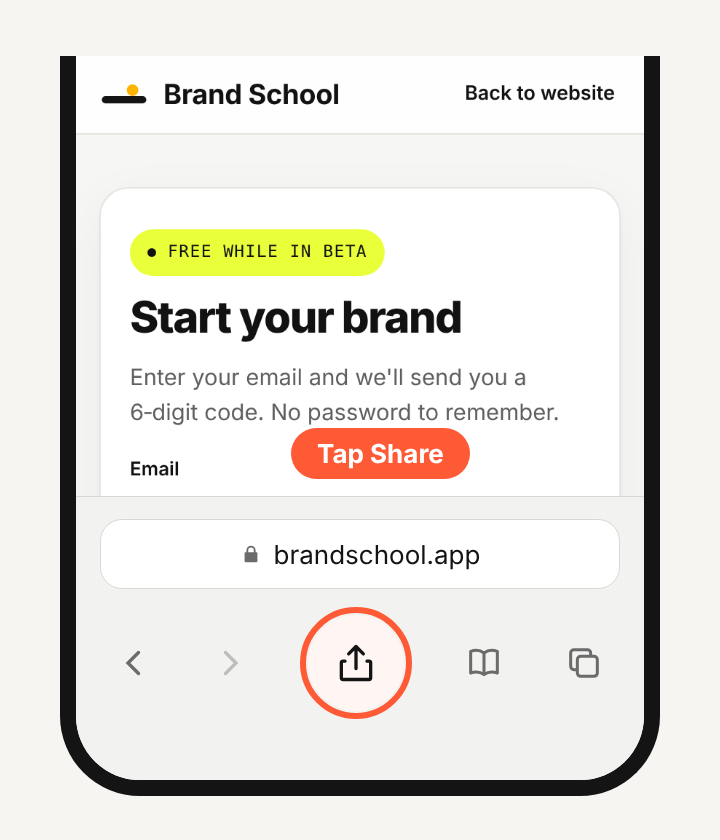
- Tap "Add to Home Screen".
Scroll the list if you don't see it.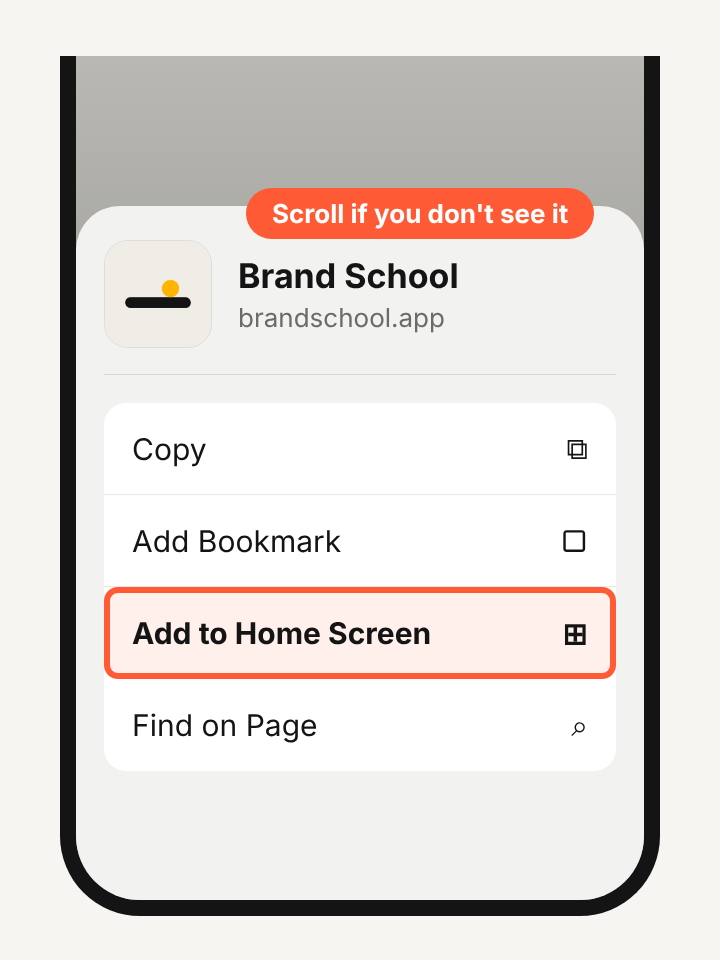
- Tap "Add".
Keep Open as Web App on if you see it.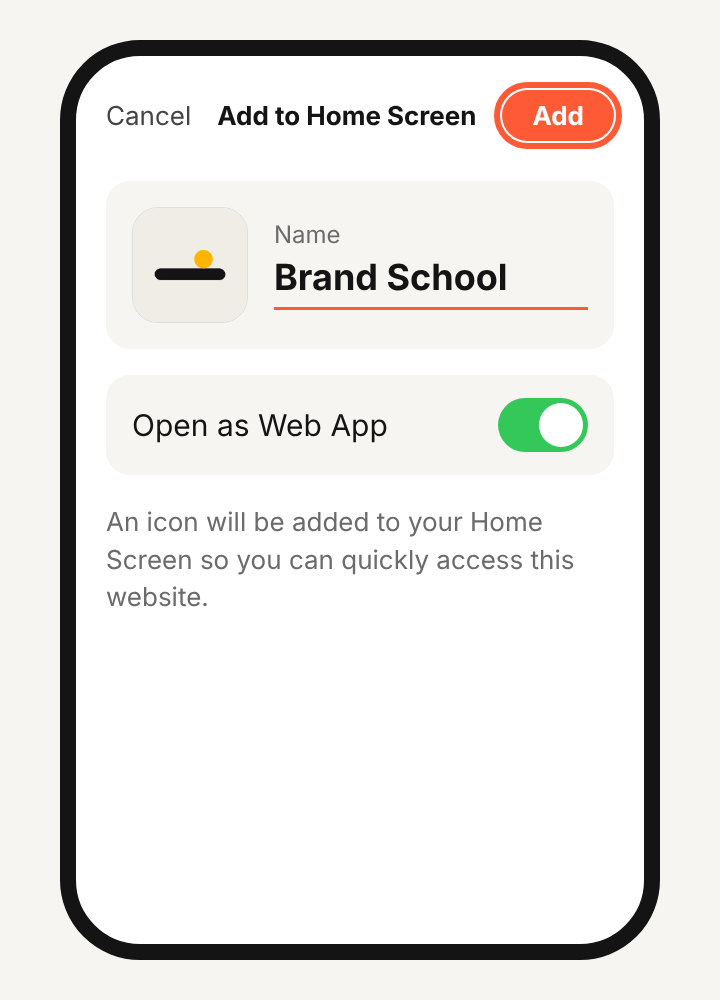
- Open Brand School from your home screen and sign in.
Enter your email, then type the 6-digit code we send you.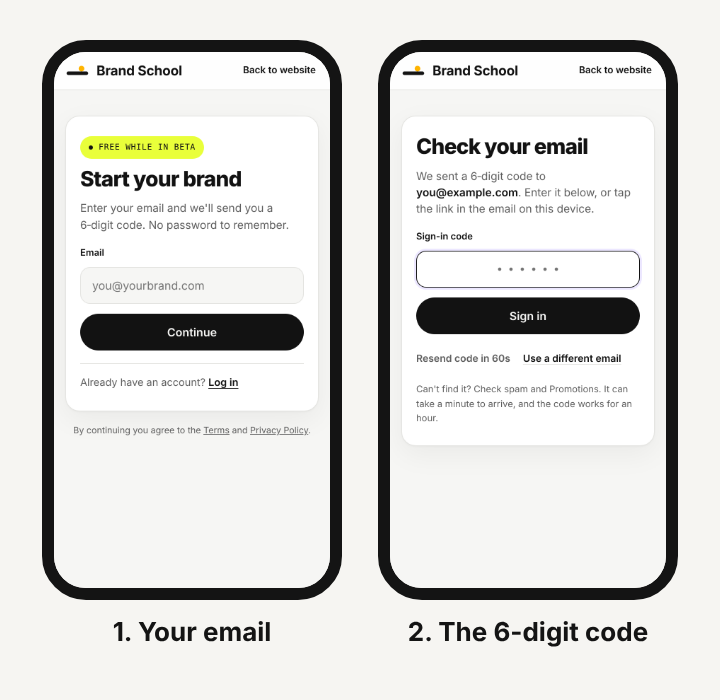
Type the code. Don't tap the link in the email. The link opens Safari, not your home-screen app.
On Android (Chrome)
- Open brandschool.app/app in Chrome and tap the menu (⋮) at the top right.
- Tap "Add to Home screen" (some phones say "Install app"), then confirm.
- Open Brand School from your home screen and sign in with your email and the 6-digit code.
Next: turn on notifications.